
Persona: AI Beauty Editor
TICKET TO THE MOON, INC.Photography
4.7582.00 Reviews
- Version
- 1.7.57
- Installs
- 10.00M
- Age Rating
- Everyone
Screenshots
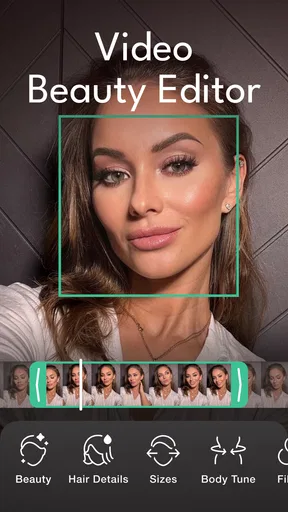
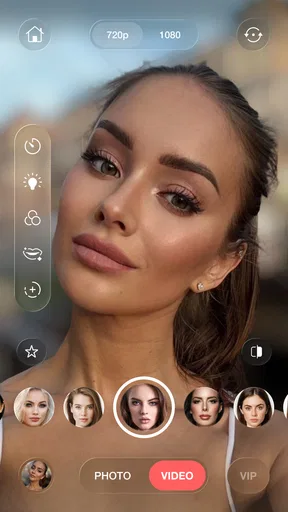
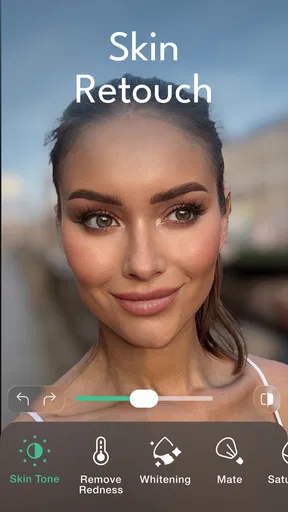
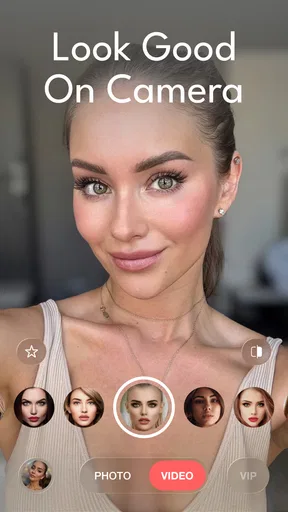
Our Review of Persona: AI Beauty Editor
 Analysis by Appyee
When I reach for a portrait editor, I usually want one useful change without turning a quick photo into a long retouching project. Persona: AI Beauty Editor is aimed at that kind of work: its focus is face retouching and makeup, with room to experiment with appearance before deciding whether an edit feels right. I found it approachable for casual selfie edits, though its automatic effects sometimes need a lighter touch.
Where editing can get stuck
The first hurdle with any beauty editor is often not finding a tool, but knowing when to stop. A smooth complexion or stronger makeup can look appealing on a small phone screen and too artificial once you look closely. In my experience, the useful approach here is to treat the AI result as a starting point rather than a finished portrait. Make one change, inspect the face at normal viewing size, and reduce the effect if the person begins to look unlike themselves.
That matters especially when a photo is meant to look natural. For a profile picture, a little polish may be welcome; for a family photo or a candid moment, aggressive smoothing can flatten the details that make the image feel personal. I would keep the original alongside the edit and compare them before sharing. That simple check is more reliable than judging each adjustment in isolation.
Setup checks before a first edit
Before blaming an editing result on the app, I check the basics: whether the chosen picture is the one I intended to work on, whether the face is clearly visible, and whether the lighting gives the editor enough detail to work with. A dim, blurred, or partly covered face leaves less useful information for retouching, so even a capable tool may produce an uneven result. Starting with a well-lit portrait is a practical way to make the first attempt less frustrating.
It is also worth checking the device before troubleshooting the app itself. The current release is version 1.7.44, and the minimum operating-system requirement is version 10. If an installation or launch is giving you trouble, confirming that the device meets that requirement and has room to complete an update is a sensible first step. I would also close and reopen the app before repeating an edit, rather than making several rapid attempts and losing track of which version of the photo I am judging.
A useful workflow for recovering an edit
When an automatic result looks too strong, I would not restart immediately or apply another effect on top. I would first back up to the relevant adjustment, lower its intensity, and review the whole image again. The point is to preserve the parts that work while correcting the part that does not. A modest correction to one area can look more believable than stacking several broad effects across the face.
For a photo that will be cropped for a social profile, I also check the crop before spending time on small details. A close crop can make retouching more noticeable, while a wider frame may make the same adjustment feel subtler. I prefer to decide the intended framing early, then make only the edits that still look convincing at that size. If a result becomes confusing, returning to the untouched photo and trying a single change at a time is a calmer recovery path than layering more fixes.
When the app may not be the cause
Not every disappointing portrait is an editing failure. Harsh light can emphasize texture and shadows; a low-quality source image can limit how cleanly details appear; and a face turned away from the camera can make makeup or retouching seem inconsistent. I would try a second, clearer photo before deciding that the tool itself is unreliable. For a meaningful comparison, use pictures with similar lighting and angles rather than judging two very different shots side by side.
Sharing can bring another source of confusion. A photo may look different after it has been posted or viewed inside another service, so I check the saved image on my device before deciding that the edit lost detail. If the local copy looks right but a social post does not, I would inspect the destination app’s crop and display instead of repeating the retouching. That distinction can save time and prevent unnecessary edits.
What the portrait tools are like in practice
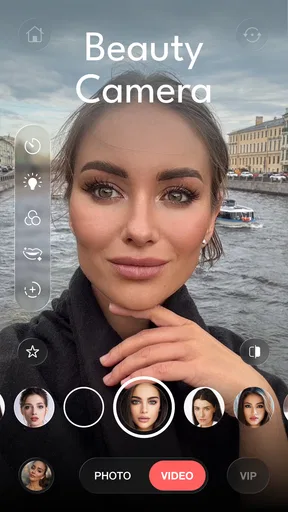
First off, I have to say, the interface of Persona: AI Beauty Editor is sleek and user-friendly. As someone who's tried a fair share of editing apps, I can appreciate when an app doesn't make me feel like I need a degree in graphic design just to use it. Everything is neatly organized, making navigation a breeze.
Features Galore
Now, onto the good stuff – the features. This app is packed with options that let you tweak and enhance your photos in just about any way you can imagine. I started with the basics, adjusting brightness and contrast, which is pretty standard. But then I dove into the AI-powered tools, and that's where things got interesting.
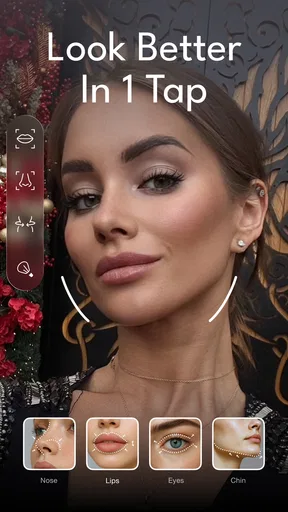
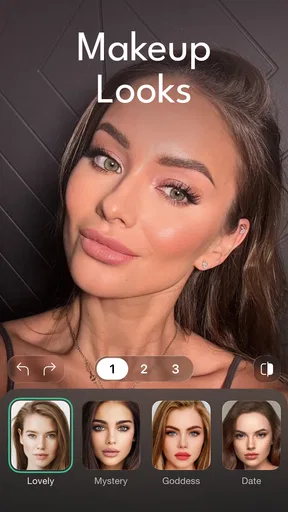
The AI retouching feature was a game-changer. It automatically smooths out skin tones and corrects blemishes, which was perfect for getting that flawless look without spending hours editing. I also experimented with the makeup tools. You can literally apply virtual makeup, from lipstick to eyeshadow, and it looks surprisingly natural. My selfies never looked better!
Customization and Creativity
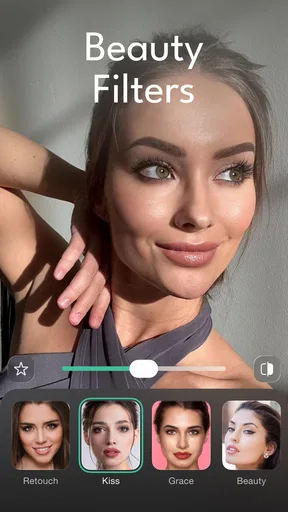
One thing that really stood out was the level of customization. You’re not just stuck with preset filters or templates. The app allows you to fine-tune every detail, right down to the intensity of each effect. I loved playing around with the hair color feature. I went from a brunette to a fiery redhead in seconds – all without the commitment!
For those who love experimenting, the app offers a variety of creative effects and overlays. There are so many to choose from, I found myself getting lost in all the possibilities. Whether you’re going for a dreamy, ethereal vibe or something bold and dramatic, there’s something for everyone.
Choosing it over a general photo editor
Compared with the usual all-purpose photo editor, this app makes more sense when the subject is a face and the goal is a quick cosmetic change. A general editor is often the better pick when I need precise control over a landscape, object removal, a complex crop, or a carefully balanced image with no beauty treatment. Persona’s appeal is the shorter path from portrait to retouched portrait; its trade-off is that a beauty-focused workflow is not a replacement for broader image work.
I would also choose a simple, non-AI adjustment when preserving texture is the priority. Automatic retouching is convenient, but subtle manual edits can be easier to keep consistent across several photos. If I am preparing a group of portraits that need to match, I would compare them together and avoid treating each one as an isolated experiment. That helps keep skin tone, makeup intensity, and overall style from drifting between images.
Sharing is Caring
Once you’ve created your masterpiece, sharing it is a cinch. The app seamlessly integrates with social media platforms, so you can flaunt your edited photos on Instagram or Facebook with just a few taps. The quality of the images remains high, so I didn't have to worry about losing any details during the upload.
Everyday use, costs, and limits
A realistic use for me would be getting ready to update a profile photo before a video call or sharing a selfie from a day out. I would choose a clear picture, make a small correction to the complexion, test a makeup change only if it suited the lighting, and then compare the result with the original. That is where the app feels most useful: a short, low-stakes edit that does not require learning a full desktop-style workflow.
It is a free photography app from TICKET TO THE MOON, INC., rated for Everyone. It has an average rating of 4.8 from around 81,000 ratings and has passed 5 million installs. Those figures suggest that plenty of people use it, but they do not tell me whether its look will suit you; the best test is whether its portrait effects can be dialed back to your taste.
Some optional purchases are available, with in-app items ranging from $0.49 to $195.99. I would explore the free experience first and only consider paying after identifying a specific tool I expect to use regularly. The free version can be enough for occasional touch-ups, while frequent editing may make an upgrade more tempting. Check the purchase screen carefully before confirming anything, especially if you are only trying to see what an option does.
Room for Improvement?
While I’m pretty pleased with what Persona: AI Beauty Editor offers, there are a couple of things that could make it even better. Occasionally, the AI can be a bit too aggressive with its edits, making things look slightly artificial. But with the customization options, it's easy enough to dial things back to your liking.
Another point to note is that some features require a premium upgrade. While the free version is quite capable, the subscription-based model might not be for everyone. But if you’re serious about photo editing, it might just be worth the investment.
Who will get the most from it
I would recommend it to someone who enjoys trying different looks, wants quick portrait touch-ups, or needs a straightforward way to preview makeup and hair-color changes. It is also a reasonable fit for occasional social photos when a few controlled edits are enough. The customization gives curious users room to move beyond a one-tap filter, provided they are willing to check the result rather than accept every automatic choice.
I would skip it if you want a strictly documentary look, need detailed retouching across many kinds of images, or prefer to avoid beauty edits altogether. It is not the tool I would reach for to correct a complicated photograph or to make a portrait look untouched after extensive changes. Someone who dislikes subscriptions or in-app purchase prompts may also prefer a simpler editor with a clearly limited set of controls.
Final Thoughts
So, would I recommend Persona: AI Beauty Editor? Absolutely. It's a fantastic tool for anyone looking to enhance their photos effortlessly. Whether you're a casual user wanting to touch up a selfie or a social media influencer needing that perfect shot, this app delivers on its promise. It's fun, easy to use, and offers a level of control that makes photo editing feel like a breeze.
If you haven't tried it yet, give it a go and see how it can transform your photos. Who knows, you might just find your new favorite editing app!
Verdict
Strengths of Persona: AI Beauty Editor
- Easy-to-use interface for quick edits.
- Wide range of filters and effects available.
- High-quality photo output.
- Real-time editing previews.
- Supports multiple photo formats.
Limitations of Persona: AI Beauty Editor
- Some features require in-app purchases.
- Heavy on battery usage during editing.
- Occasional lag with large files.
- Limited social media integration.
- No offline editing capabilities.
Similar Picks in This Category
View All
Google Photos
Google LLC4.4

Gallery
Google LLC4.2

Picsart AI Photo Editor, Video
PicsArt, Inc.3.9

B612 AI Photo&Video Editor
SNOW Corporation4.1

BeautyPlus-Selfie Photo Editor
PIXOCIAL TECHNOLOGY (SINGAPORE) PTE. LTD.4.5

Remini - AI Photo Enhancer
Bending Spoons4.1
Frequently Asked Questions
What features does Persona: AI Beauty Editor offer?
Persona: AI Beauty Editor provides a wide range of features including AI-driven facial enhancement, skin smoothing, makeup application, and hairstyle adjustments. Users can also access a variety of filters and effects to personalize their photos further. The app uses advanced algorithms to ensure realistic and natural-looking results.
Is Persona: AI Beauty Editor free to use?
Persona: AI Beauty Editor offers both free and premium versions. The free version includes basic features and a limited selection of filters. However, to unlock advanced editing tools and exclusive content, users can subscribe to the premium plan, which is available on a monthly or annual basis.
How does Persona: AI Beauty Editor ensure privacy and data security?
Persona: AI Beauty Editor prioritizes user privacy by implementing robust data security measures. The app does not store photos on their servers, and all edits are processed locally on your device. Additionally, it complies with relevant data protection regulations to ensure your personal information remains safe.
Can Persona: AI Beauty Editor be used on both Android and iOS devices?
Yes, Persona: AI Beauty Editor is available for download on both Android and iOS platforms. The app is optimized for various devices, ensuring a seamless and user-friendly experience across different operating systems. Regular updates are released to enhance compatibility and performance.
What should I do if I encounter issues while using Persona: AI Beauty Editor?
If you experience any problems with Persona: AI Beauty Editor, you can contact their customer support through the app or their official website. They provide detailed guides and FAQs to assist with common issues. Additionally, users can report bugs or suggest features for future updates.
